01 / 06Overview
See what runs out before it does
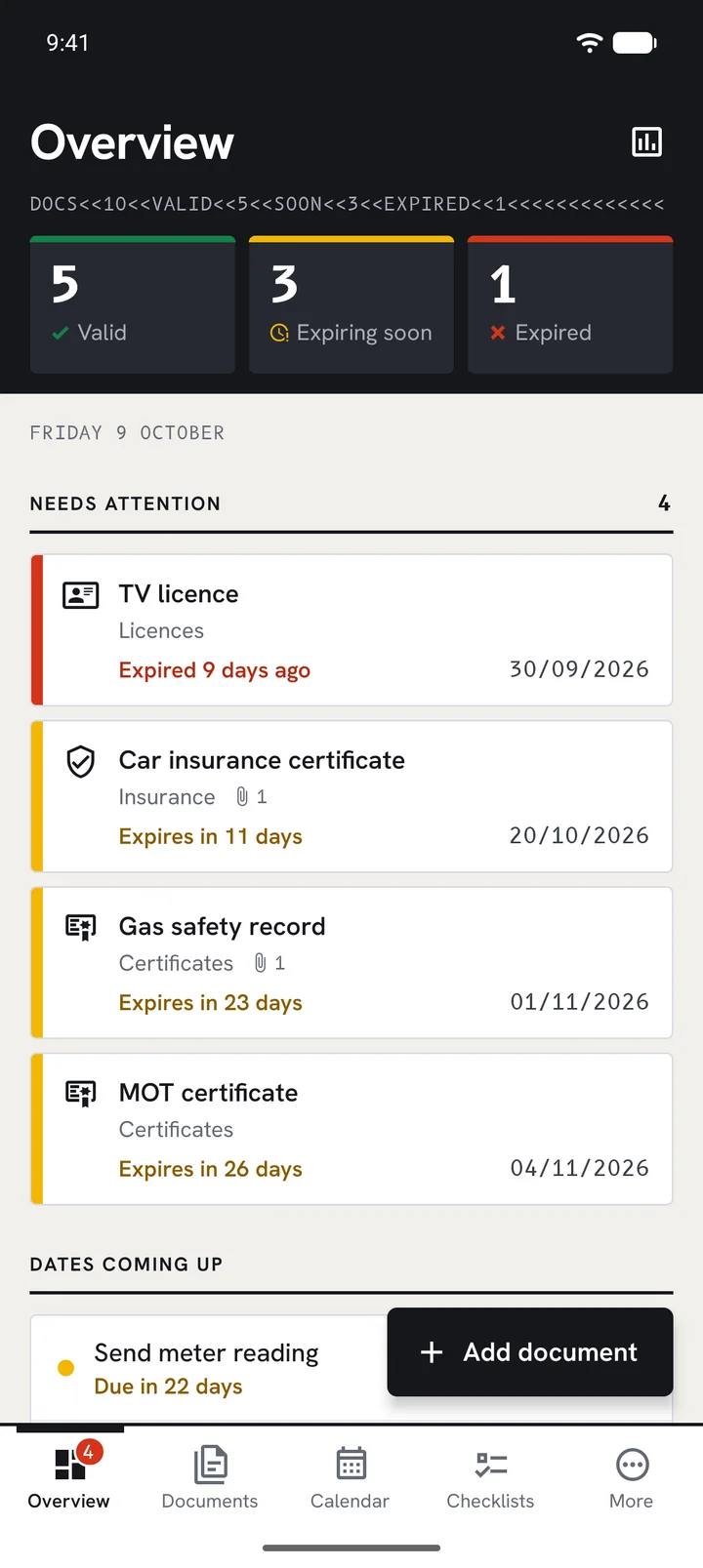
Three counters and a “Needs attention” list open the app: expired and expiring documents, most urgent first.
Sample5 valid · 3 expiring soon · 1 expired
Document organiser<<Android<<United Kingdom
DocuFlow Organizer keeps your contracts, insurance, licences and certificates together on your phone, as photos or PDFs, and shows in good time which of them are about to run out.
Coming soon to Google Play
DocuFlow Organizer is not on Google Play yet. This label becomes the download button on the day it is.
How the status is worked out
Give a document an issue date and an expiry date, and decide how early it should count as “expiring soon”: 30 days by default, or your own number of days for each document. From then on it is always in one of four states.
Sample documentCar insurance certificate
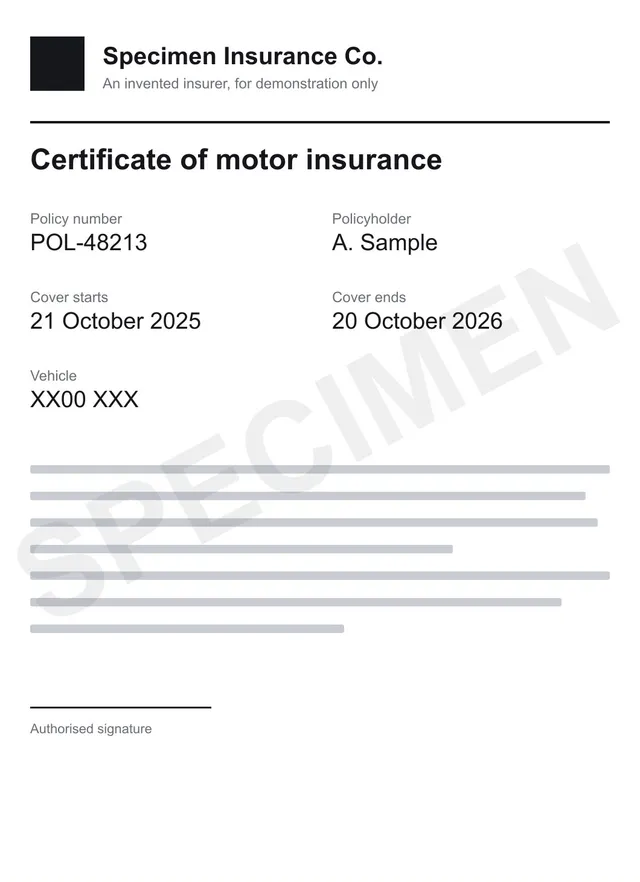
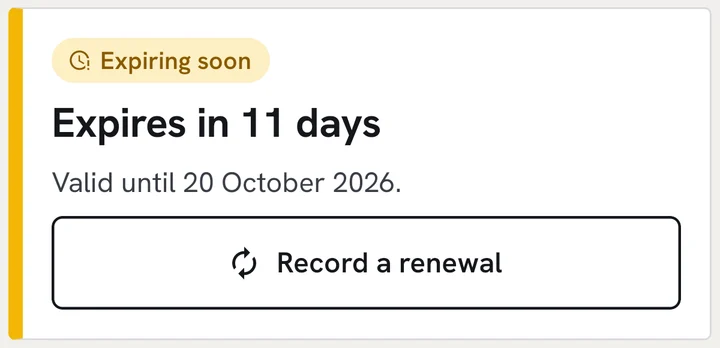
Sample data from the app’s own screenshots; the certificate is an invented specimen. Status is worked out from the dates you enter and your phone’s clock. Check the document itself before you rely on a date.
Six screens
Real screens from version 1.0.0, filled with sample data. Nothing here is a mock-up.
01 / 06Overview
Three counters and a “Needs attention” list open the app: expired and expiring documents, most urgent first.
Sample5 valid · 3 expiring soon · 1 expired
02 / 06Document
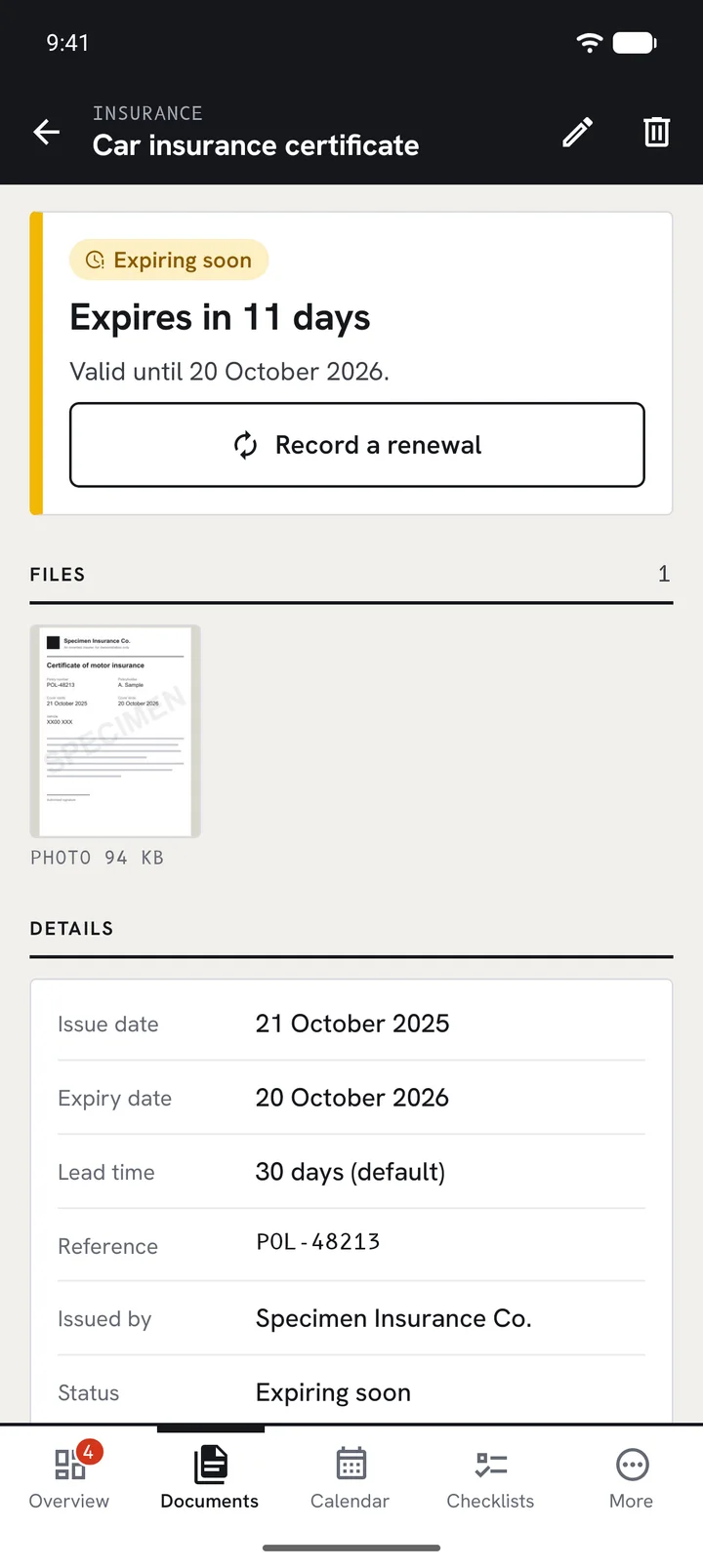
Up to 12 photos or PDFs per document, with issue date, expiry date, reference number, issuer, tags and notes. “Record a renewal” sets the new expiry date and keeps the old one in a history.
SampleCar insurance certificate · 20/10/2026
03 / 06Calendar
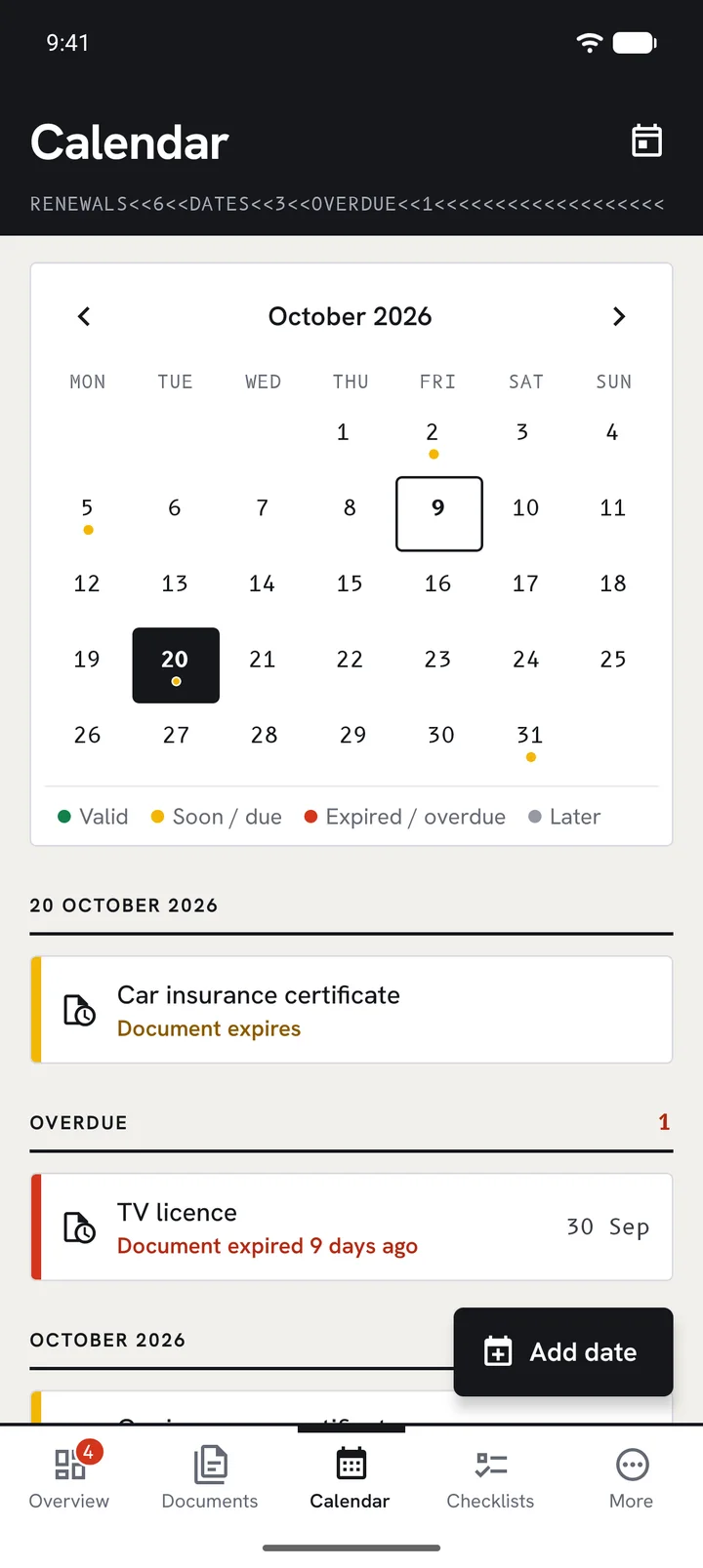
The month marks the day a document expires and the day its lead time starts. Add your own dates for administrative jobs, such as a return to file or a fee to pay, once or every month, quarter or year.
SampleOctober 2026 · 20 October selected
04 / 06Documents
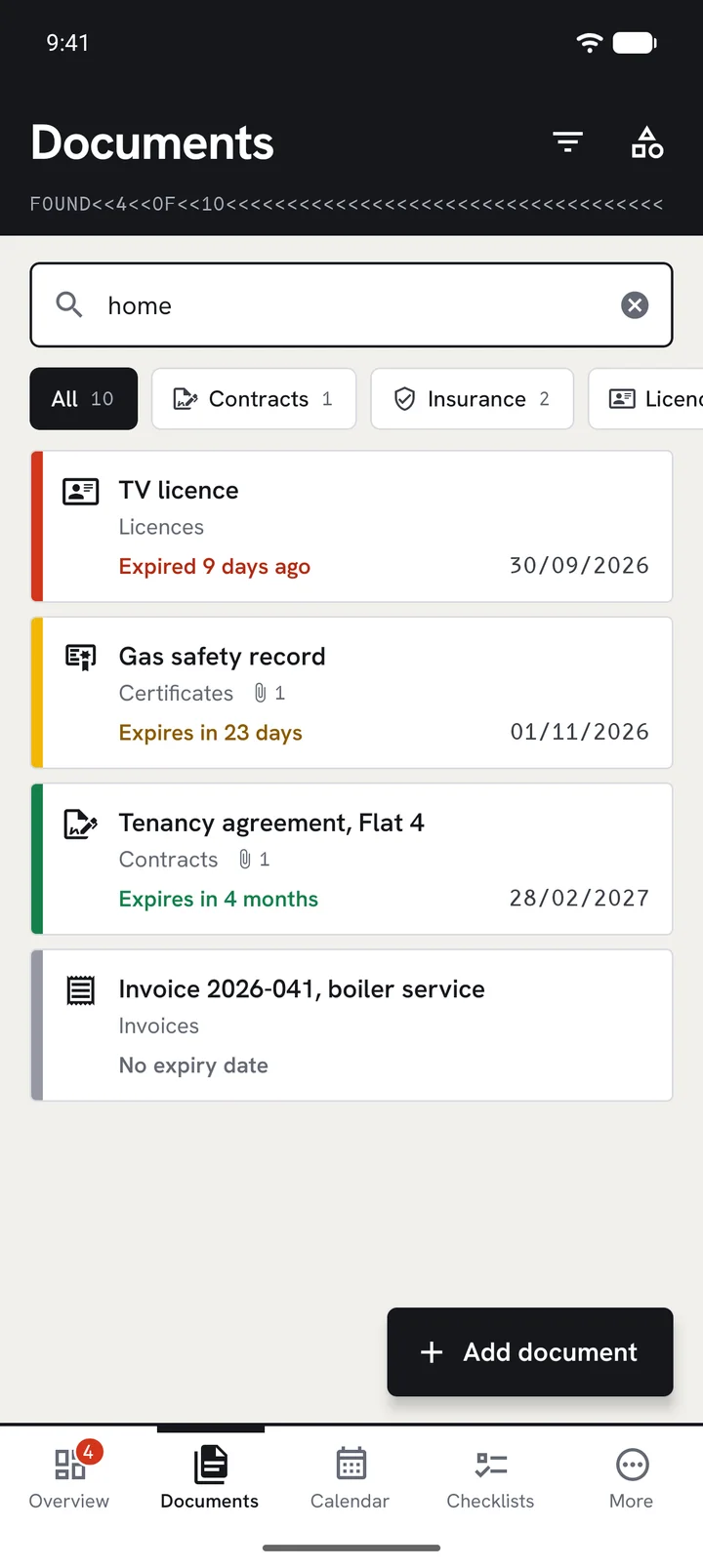
One search box covers title, category, tags, reference, issuer, notes and dates. Filter by category, status, tag, project and date range.
Sample“home” · found 4 of 10
05 / 06Checklists
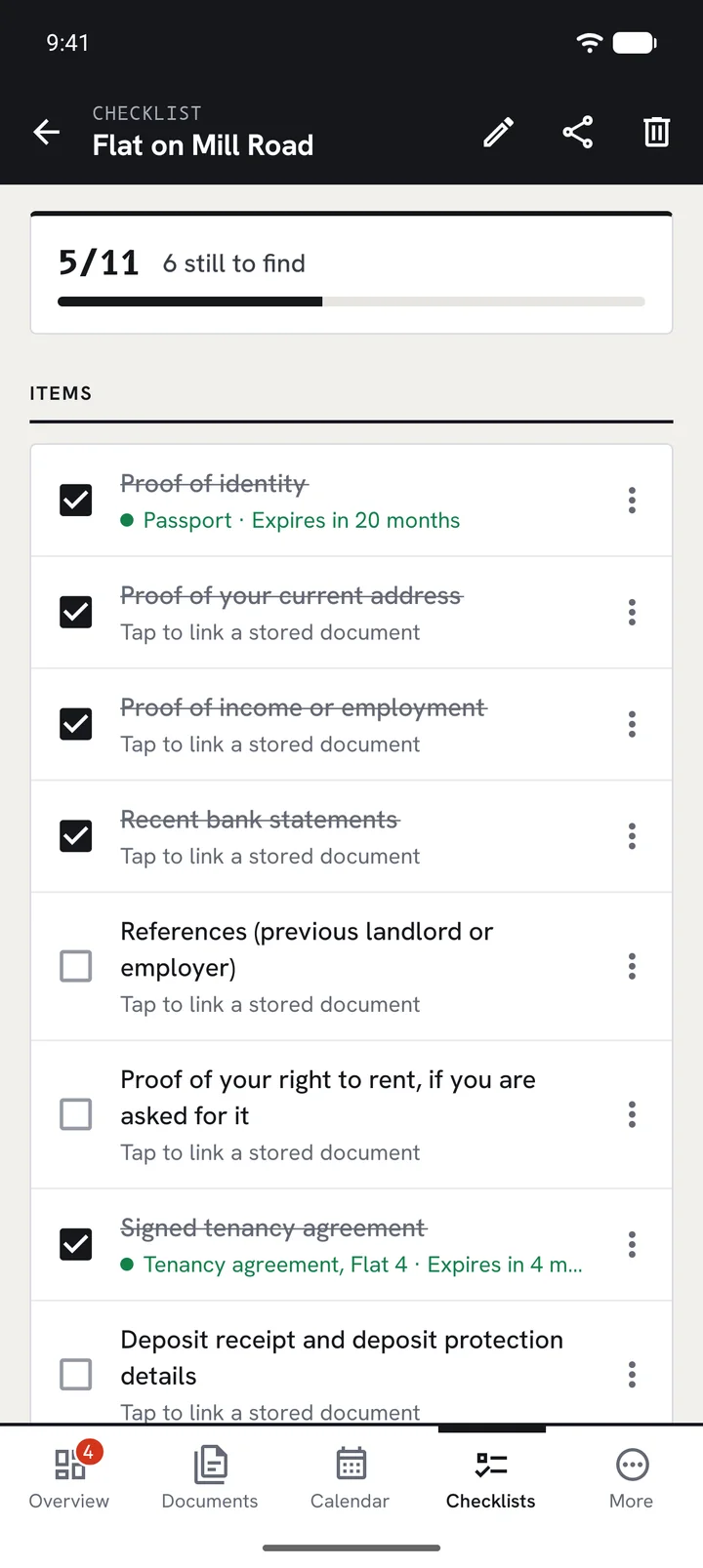
Five starting lists: renting a home, registering a car, setting up a business, starting a new job, travelling abroad. Or write your own. Link an item to a stored document and see at once if that document has expired.
SampleFlat on Mill Road · 5/11
06 / 06App lock
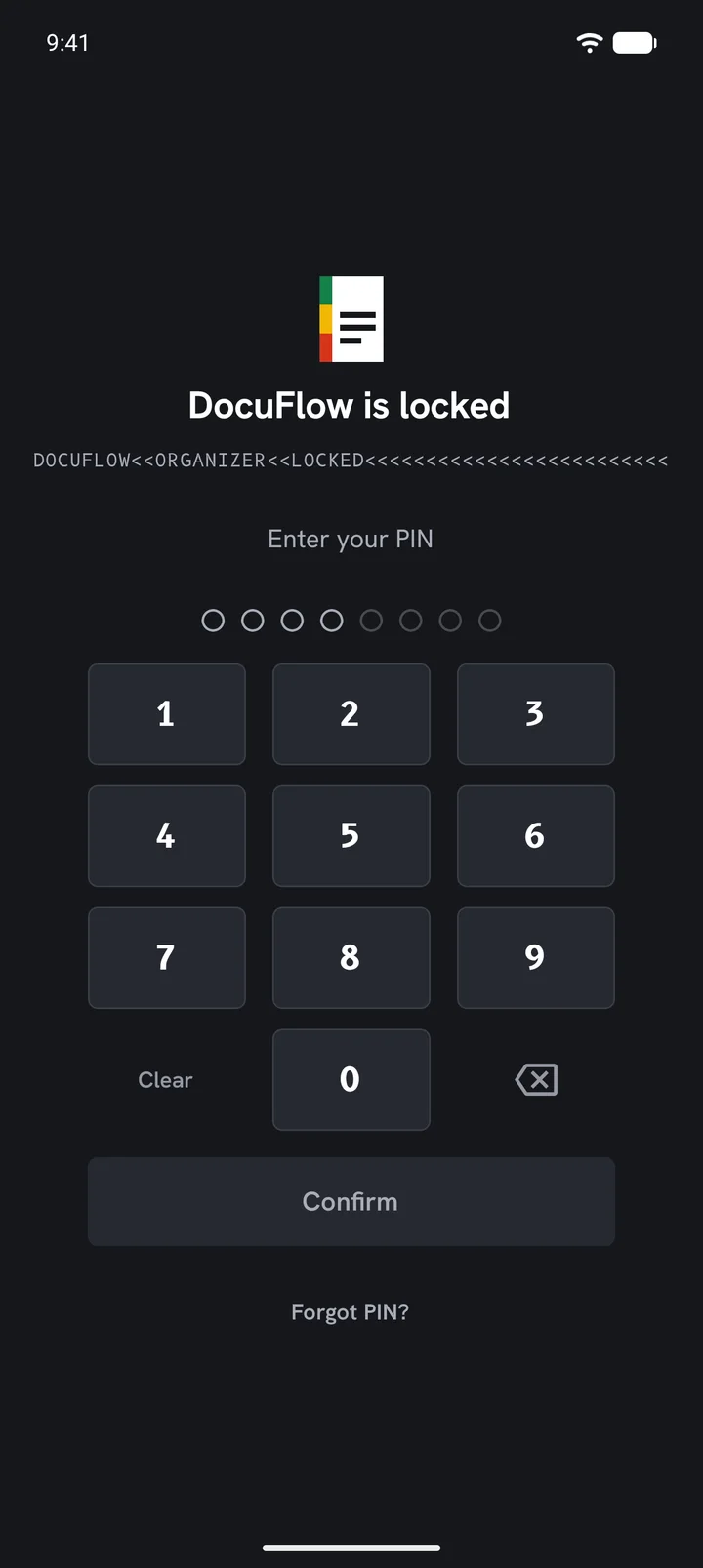
Optional: a PIN of 4 to 8 digits and, if you like, the fingerprint or face already set up on your phone. It keeps other people out of the app on an unlocked phone. What it does not do is set out further down.
About the checklists: they are general starting lists, an organising aid and not legal advice. Requirements vary, and the organisation you are dealing with decides what it needs. Always check with it.
No notifications, on purpose
DocuFlow does not send notifications or reminders to your phone. What needs attention is shown inside the app, in three places. Open the app from time to time, and set a longer lead time for anything that takes weeks to renew.
The “Needs attention” list: expired and expiring documents, most urgent first.
The day a document expires and the day its lead time starts, each with its status mark.
A number: expired plus expiring soon. In the sample data on this page it reads 4.
How your documents are protected
You may keep passports, contracts and insurance papers here. So this is the plain account, in the words the app itself uses on its “How your documents are protected” page.
Also in the app
Questions
Only when you open it. DocuFlow sends no notifications of any kind. Inside the app, a document turns amber (“Expiring soon”) as many days before expiry as you have set, and appears in the “Needs attention” list and in the Calendar.
No. There is no account, no server and no sync, and the app has no internet permission. Everything works with the phone in aeroplane mode.
It cannot be recovered, by you or by us. The only way back in is “Forgot PIN?” on the lock screen, which erases every document, file, list and setting in the app. The app says so before you set a PIN.
Nothing moves by itself: the app is excluded from Android’s cloud backup and from the transfer to a new phone. Export the list and the files you need before you switch, and add them again on the new phone. Version 1.0.0 cannot import an exported set.
Photos and PDF files, up to 12 per document and 40 MB each, chosen in Android’s own photo and file pickers. Adding a file makes a copy; the original stays where it was. PDF files are opened in the PDF viewer installed on your phone.
DocuFlow Organizer is free. Every feature is included: no subscriptions, no in-app purchases, no adverts.
Download
No subscriptions, no in-app purchases, no adverts. Android 8.0 or newer, in English (United Kingdom).
Coming soon to Google Play
DocuFlow Organizer is not on Google Play yet. This label becomes the download button on the day it is.